

Introduction to Google Search Console
Have you ever wondered how your website performs in Google’s search results? As a website owner, it’s easy to make assumptions about what works and what doesn’t, but to truly understand how Google views your site, you need a reliable tool. Google Search Console is exactly that – a communication channel between you and Google.
Search Console provides insights into how your pages are indexed, which keywords drive traffic, and how technical factors affect visibility. Without Search Console, it’s like navigating in the dark – with it, you have a flashlight showing what’s happening behind the scenes.
In this section, you’ll get an introduction to why Search Console is essential for SEO work. We’ll focus on three key features: the Performance Report, the Indexing Report, and the Page Speed Report. Once you understand the basics, you can start using the tool to make better decisions and improve your website step by step.
Performance report – gain insight into search traffic
The Performance Report is often the first thing users check in Search Console, and for good reason. It gives you a clear picture of how users find your site through Google’s search results. The report shows the number of clicks, impressions, average click-through rate (CTR), and average position for your pages.
What makes the Performance Report especially interesting is that it reveals which search queries drive traffic to your site. You might discover that you’re ranking for completely different keywords than expected. This can inspire new content ideas or highlight opportunities to improve existing pages. For instance, if you have an article about workout tips that gets many impressions but only a few clicks, it may be time to refine the title and meta description to make them more appealing.
To access the Performance Report, open Search Console and click on “Search results” in the left-hand menu.
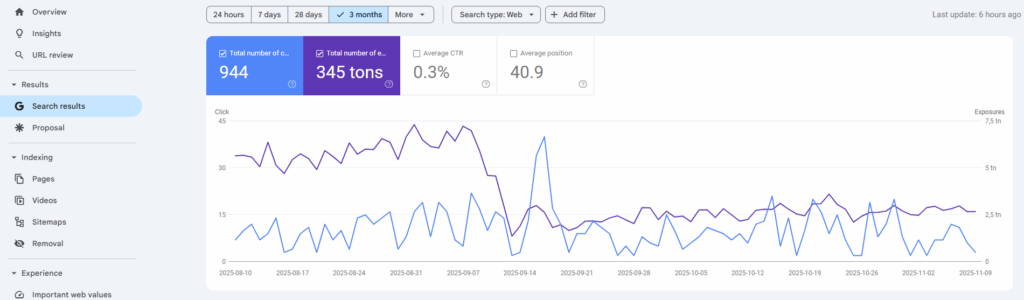
From there, you can easily view data for clicks, impressions, average CTR, and average positions for different keywords and pages.
Indexing report – how Google sees your pages
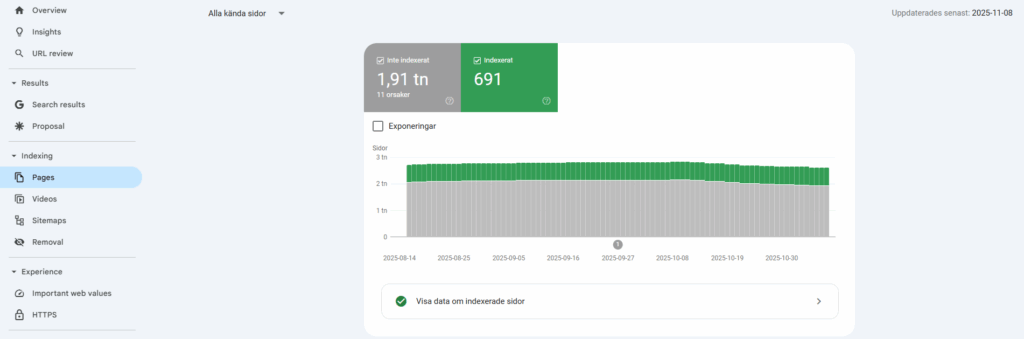
Appearing in Google’s search results depends on whether Google can find and index your pages. The Indexing Report in Search Console shows which pages are indexed and which ones have issues. This is where you find out if Google encounters any obstacles.
A common issue is “Page with redirect error”, which means Google tried to follow a link that redirected elsewhere but encountered a problem. Another example is “Page with crawl error”, which occurs when a page is unavailable at the time Googlebot tries to visit it. Such issues can prevent important pages from appearing in search results.
For beginners, the report may seem technical, but think of it as a checklist. If you see that certain pages aren’t indexed, you have the chance to fix the problem. It could mean updating a broken link, correcting a redirect, or ensuring that the page isn’t blocked in your robots.txt file.
To access the Indexing Report, click on “Pages” in the left-hand menu.
Page speed – the key to a great user experience
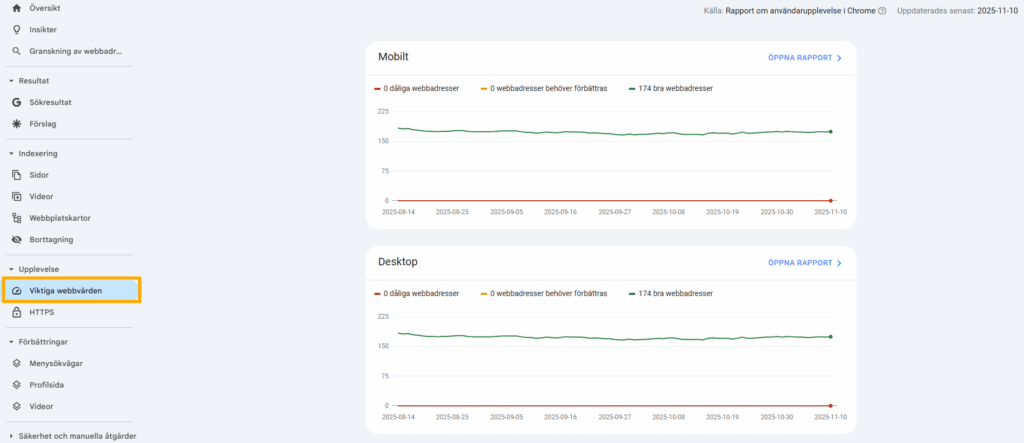
No one likes slow pages – neither users nor Google. Page speed is a factor that influences your rankings, but more importantly, it determines whether visitors stay or leave. The Page Speed Report in Search Console provides an overview of how quickly your pages load on both mobile and desktop.
Here, you can see whether specific pages are classified as fast, moderate, or slow. The report also points out concrete problem areas – such as large image files, slow server response times, or scripts that delay loading. With these insights, you get a clear action plan for what needs improvement.
For example, if you run an online store and discover that product pages load slowly on mobile, it’s a problem that can directly impact sales. By optimizing images or reducing heavy elements, you can significantly improve both customer experience and search ranking.
To find the Page Speed Report, click on “Core Web Vitals” in the left-hand menu.
🔍 Consider this:
Which pages on your website do you think load the slowest, and what can you do to improve them?
Practical tips to get started
The best way to understand Search Console is to start using it. Log in to your own account and explore the three reports we’ve discussed. When reviewing the Performance Report, compare which keywords have high impressions but low clicks – that’s a signal to improve how your pages appear in search results. In the Indexing Report, identify which pages aren’t indexed and try to determine why. Is it a technical issue, or does the page lack content value? In the Page Speed Report, look for recurring issues and test simple fixes such as compressing images or using caching.
A practical rule of thumb is to always combine analysis with action. Seeing the numbers isn’t enough – real SEO progress happens when you act on the insights.
To summarize:
🔵 The Performance Report shows which keywords and pages drive traffic and provides ideas for optimization.
🔵 The Indexing Report reveals whether Google can find and display all your important pages.
🔵 The Page Speed Report helps you improve loading times and create a better user experience.
In summary
Google Search Console isn’t just an analytics tool – it’s an ongoing dialogue with Google about your website’s health. By understanding the Performance Report, Indexing Report, and Page Speed Report, you gain a clear picture of where you stand and what needs improvement. The goal isn’t to become an expert overnight but to gradually learn to interpret the signals and act on them.
Start by logging in, exploring the three reports, and asking yourself the key questions we’ve covered. Which keywords surprise you? Are there pages that aren’t indexed? Are your most important pages fast enough? The more you work with the tool, the more valuable it becomes. Search Console is your opportunity to understand Google’s perspective and take control of your SEO development.