



Image search has become increasingly important for :contentReference[oaicite:0]{index=0}, and during 2018 a new design with new features was rolled out for both desktop and mobile image search. This article aims to demonstrate the importance of optimizing images on your website by implementing good, descriptive ALT texts for your site’s images.
Having pages with image content is extremely important for a good user experience. A page consisting only of text can feel rigid and uninspiring to most visitors. There are countless use cases for images, but we have chosen to focus on images from an SEO perspective, where images can be used to drive traffic to the website and even earn the occasional link from an external site. For an image to achieve this, an ALT text must be implemented, and our hope with this article is to clarify how you should go about optimizing your images and making them more than “just” nice pictures.
What is ALT text and what does it look like?
To understand ALT text, we first need to understand how search engines perceive images. At present, Google cannot interpret the content of an image file on its own and therefore needs some help in the form of code and a description of what the image contains. Since Google’s bots cannot verify whether the description actually matches the image, manual checks are sometimes carried out—so cheating is not worth it. Misleading descriptive text can result in penalties from Google.
An ALT text is therefore the text that describes the content of an image.
The code to be implemented—the ALT text—looks like this:
<img src=”imagefile.jpg” alt=”Alt text“>
An example of how humans see an image:

An example of how Google sees an image:
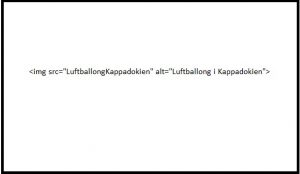
How do you write a good and descriptive ALT text?
It is often said that a picture says more than a thousand words—but for Google, which cannot see images the way humans do, we need to help by providing a descriptive text.
A good ALT text largely depends on the context in which the image appears.
Let’s say you have a general blog about horses and want to upload an image of newborn horses learning to walk. In that case, a suitable ALT text could be “Newborn foals learning to walk.” If the blog instead focuses on trotting horses and the image shows a well-known horse, the ALT text should be something like: “Ego Boy cooling down after a successful race at Solvalla.”
The text should therefore not be vague. An ALT text must be descriptive—but that does not mean writing a thousand words. Our recommendation is to keep the ALT text as short and concise as possible, while still being descriptive enough for someone to understand the image even if they cannot see it.
In an ALT text, it can also be beneficial—where appropriate—to include the primary keyword you want the page to rank for. This helps both with ranking in image search results and reduces the need to repeat the keyword excessively in the body text. That said, we want to issue a warning against so-called “keyword stuffing,” where too many keywords are forced into a text, making it unnatural. That is not what we mean by including a primary keyword in the ALT text. You should also avoid starting the description with “Image of…”, as Google already understands this.
The benefits of implementing descriptive ALT text
There are many advantages to implementing descriptive ALT texts for your images. Some of these benefits assume that you are using your own images rather than stock photography. Using your own images as much as possible is recommended, as stock images—used by hundreds of others—do not add anything new to Google’s image search.
Below are some of the benefits we see from writing and implementing ALT text:
- People with visual impairments can understand the content
- Google can understand the image content
- If the image fails to load, visitors can still read what the image represents
- If the keyword is included, it complements headings and body text
- The image can generate inbound links, strengthening the site overall
- The image can generate traffic from image search results
As you can see, there are many benefits to ALT texts, and with the help of a CMS, the implementation itself does not have to be particularly difficult.
How does implementation work?
Implementing ALT text depends entirely on which CMS (Content Management System) is used. Most CMS platforms have dedicated functionality for adding ALT text.
If we take WordPress as an example—the most widely used CMS in the world—you can enter the ALT text when uploading the image itself.
Regardless of which CMS is used, the same terminology generally applies: “ALT text,” “alternative text,” or in some cases “image description,” although “ALT text” is by far the most common.
For certain images, such as logos and in some cases banners where ALT text cannot be applied, you should instead include descriptive text adjacent to the image—for example, directly below it.
It’s not just about ALT texts
Implementing ALT texts alone is not enough to automatically rank highly in Google image search. Many other factors come into play, such as using the correct image format, scaling, and file size. Uncompressed images can slow down page load times, which negatively affects the site as a whole.
If you have read this far and understand how machines interpret images, you have likely realized that ALT texts must be written by a human and done manually to achieve the best results. This may seem time-consuming, but it is worth the effort, as Google appears to be increasingly emphasizing its image search features.
Good luck with implementing your ALT texts!
