

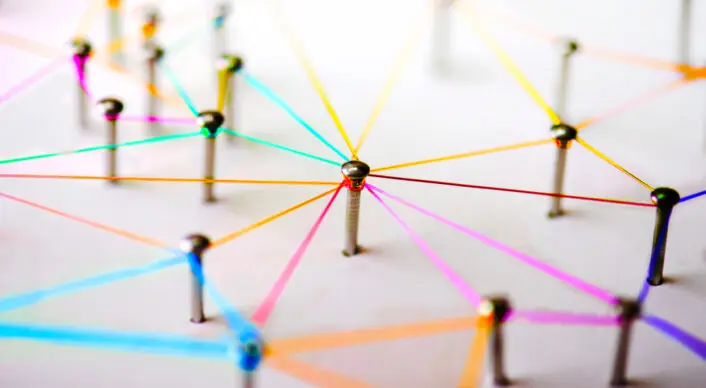

An internal link is a link from one page on your website to another page on the same site. You never send the visitor to another domain, only to other content on your own site. Internal links are more forgiving than other types of links since you can use exact anchor texts. They do not provide as much ranking power as external links, but it is still important to implement them correctly. When handled properly, internal links can improve the visitor’s user experience and help you build more authority.
What do we mean by internal links?
A website always has internal links; most of them are found in the navigation. From the main menu, you can reach subpages and categories, and in the footer there may be links to, for example, a contact form. The type of internal links discussed in this article are contextual internal links. These are usually placed directly within the text and take the reader to another part of the site.
Working with internal links can have several effects:
- Helps Google understand your site
- Keeps visitors on the site longer
- You can increase the site’s authority
- You can highlight your most important content
- Google indexes faster
- Helps Google understand your site
A clear advantage of internal links is that Google can quickly get an overview of how your domain is structured. When Googlebot crawls your domain, it follows all dofollow links, both external and internal, to get an understanding of what the site is about. At the same time, it evaluates whether your site is worth ranking higher or, in the worst case, being filtered out entirely.
Internal links give Google a natural path to move between different landing pages and thereby understand which pages you consider related in one way or another. You show Google how you connect different parts of the site, creating a more dynamic site structure than a simple drop-down menu.
Keeps visitors on the site
If you have written an article about chanterelles and mention that they can be confused with false chanterelles, you can add an internal link to one of your earlier articles about false chanterelles. The visitor becomes curious and clicks the link, and there may be yet another internal link that connects false chanterelles with jack-o’-lantern mushrooms through their relationship, and so on.
Here we see how different categories and texts can be connected using internal links, that is, internal links beyond those found in the navigation. The visitor is encouraged to explore more by being able to quickly jump to related content.
Increase site authority with internal links
When you internally link from one page to another, you pass link authority to the page you are linking to. You signal to Google that the landing page you link to contains important information. Pages on your site that you consider important, and that contain content most relevant to your business, should receive internal links. Perhaps even several, from different parts of your site.
Highlight your most important content
If you find it difficult to identify which landing pages are important, you can use Google Analytics to analyze your landing pages and see which ones rank best, receive the most visitors, have the lowest bounce rate, which products sell the most, and so on. Landing pages that rank highly should receive internal links to increase authority and improve the chances of even better rankings. You can of course also use internal links to highlight content that you want to rank higher.
Internal links do not carry the same weight as external links, but by using them you make it easier for Google to understand which landing pages are prioritized, and your visitors are never far from your best content.
Google indexes your site faster
As mentioned, Google follows all links on your site, except nofollow links of course, and indexes your entire site. Google has a “Fresh Bot” and a “Deep Crawl Bot” that crawl your site. The first looks for new content among your best-ranking pages, while the second goes deeper and indexes the entire site. Fresh Bot can index at intervals of just a few days, while Deep Crawl Bot reviews the entire site from time to time.
When you add new pages to your site, you want Google to index them quickly so that the content starts appearing in search results. You therefore want Fresh Bot to pick up your new pages, and the easiest way to do that is by internally linking to them, preferably from one of your high-ranking pages.
When Googlebot crawls your site, it follows internal links to your new content and indexes new pages faster than it would without internal links. Without links, you may have to wait until Deep Crawl Bot discovers the new content, and online you rarely have time to wait.
Choose the right anchor texts
Here you do not need to be as cautious as with external links. Exact anchor texts for external links are rarely recommended because they often do not look natural, and Google may assume it is link building, which they do not like when it is not organic. But when it comes to internal linking, you have more freedom to use exact anchor text to clearly indicate where the link will take the visitor.
In SEO, internal links are often overlooked. They are not prioritized by many and may only be briefly mentioned as “nice to have.” The fact is, however, that internal links can help your site rank slightly better and increase indexing speed, especially if you have a large site that currently lacks internal links.
And best of all, internal links are easy to implement yourself, as long as you take the time to actually do it.


