


Google is investing more and more energy in video, something we can clearly see in the search results, where Google gives increasing space to video and images. This YouTube SEO guide is written for those who want to increase the visibility of their videos and optimize them to rank highly on YouTube. The old saying “if you’re not visible, you don’t exist” applies here as well. Keep reading and follow our tips, and you will increase your chances of being seen on YouTube.
Ranking factors for YouTube
Just like Google’s algorithm, YouTube has so-called ranking factors that are taken into account when evaluating a video and determining whether it should rank. It is difficult to list all ranking factors for YouTube, since no one knows exactly what YouTube considers to be ranking factors. Signals that indicate to YouTube that your video should be rewarded include:
- Comments on your video
- When someone clicks “Subscribe”
- When someone gives you a thumbs up (thumbs down is a negative signal)
- When someone shares your video
- High click-through rate (CTR)
- Long watch time
Of course, these are only some of the factors YouTube considers. The focus should always be on creating the highest possible quality content. If the content is not good, optimization will not matter much, as no one will want to watch it anyway.
Our tips for ranking high on YouTube
To help you succeed with your YouTube channel, we have listed 15 important things to consider to increase your chances of ranking highly on YouTube.
Niche your channel around a specific topic
YouTube, like Google, prefers being able to place channels into clear “categories,” as this makes them easier for the algorithm to understand. The days when YouTubers could make a video about cats one week and makeup the next are over. By niching your channel around a specific topic, you increase your chances of being visible and ranking highly for the search terms you optimize for.
The idea is to aim to become an expert within your niche. If you achieve this in YouTube’s eyes, your chances of appearing on the first page of search results increase when someone searches for relevant queries that you have created video content for.
Once you are an established YouTuber with many subscribers, you can start to branch out a bit more. YouTubers with a large subscriber base, fans, and even the occasional “hater” can afford to create videos on a wider range of topics, as these will still be watched and shared by their audience.
Find out what people are searching for on YouTube (keyword research)
To know what kind of video content to create, you first need to find out what potential users are searching for. If you have a newly started channel, you must also consider how competitive the keywords are. Keywordtool.io and Ahrefs are two examples of tools that can be used to get ideas for videos to produce. Google’s Keyword Planner is another tool that can be used for this purpose.
If you do not have access to these tools, you can instead use YouTube’s autocomplete feature. By typing the beginning of a phrase, such as “How to…”, you can get many interesting suggestions.

However, it is not possible to see how many people search each month, but in all honesty, these tools rarely hit 100 percent accuracy anyway.
A final option, if autocomplete does not deliver, is to look at competitors’ videos and their titles. With some luck, you may find gaps where there is room to create video content. Everything has not been done yet.
Optimize your channel
Optimizing your channel is a bit like styling your website or enhancing your Facebook page. We know you should not judge a book by its cover, but this is YouTube, so be prepared to be judged.
- Implement an attractive top banner
- Add a well-designed channel icon (profile image)
- Create playlists
- Link to other similar channels
- Write a channel description
- Create an introduction video explaining who you are and what your channel is about
Optimize the video file name
Just like images on websites, we recommend naming the video file in a way that clearly describes its content. The file name should preferably include the keyword or search term you are optimizing for.
Optimize the video title
Optimizing your video title is one of the most important actions for helping YouTube understand your content and for enabling your video to rank for the relevant keyword or search term.
Write a descriptive title where the keyword appears naturally. Ideally, the title should place the keyword in the right context. If your keyword is “YouTube SEO” and your video is a step-by-step guide, the title could look like this:
“The complete guide to YouTube SEO 2020 – Step by step”
Try to keep the title short and concise. At the time of writing, our tests show that YouTube allows titles under 560 pixels. If the title is too long, YouTube may truncate it. A good rule of thumb is to place the keyword at the beginning of the title.
Choose an attractive thumbnail for a high click-through rate
In addition to the title, the thumbnail can determine whether your video gets clicked or not. A thumbnail is essentially a preview image that gives viewers an idea of what the video is about.
Choose your thumbnail carefully and avoid misleading viewers. Nobody likes clickbait.
Write a well-thought-out description
In addition to the title, you should write a clear and accurate description of your video’s content. Include the keyword here as well, since YouTube cannot interpret the visual content itself and therefore uses the description to understand what the video is about. The description should also encourage viewers to watch the entire video by including a cliffhanger or motivation. According to Google, you can use up to 1,000 characters, but a well-written description rarely needs to be that long.
Focus on watch time
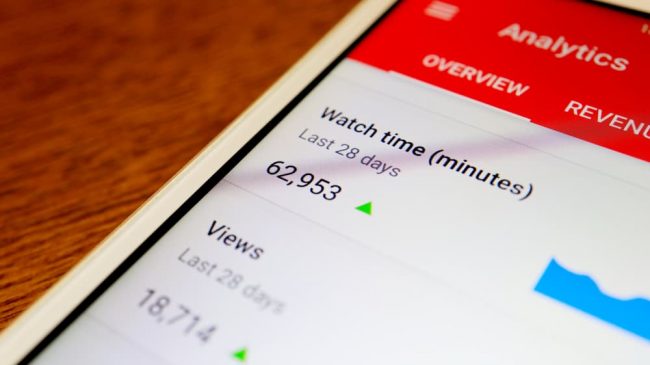
One of the most important ranking factors for YouTube is watch time, meaning how long viewers actually watch your video. Ideally, viewers should watch the entire video.
YouTube wants users to stay on the platform, as this allows them to show ads. Creators who produce content that keeps viewers watching longer are rewarded with higher rankings.
The longer viewers watch your videos, the better it is for both you and YouTube.
Good video quality
Even today, many videos suffer from poor image quality. Few viewers want to watch shaky footage. If people do not want to watch, your video will not rank.
Excellent audio quality
Audio quality is often overlooked. Many users multitask while watching YouTube, making sound just as important as visuals. Poor audio can quickly cause viewers to leave.
Use tags
Tags help categorize your video and make it easier for users and YouTube to understand the content. Use one tag for the primary keyword and a few for related keywords. Avoid over-optimization.
Add subtitles
Subtitles improve accessibility and can also benefit SEO, especially if you embed the video on your website and use structured data.
Embed the video on your website or blog
Embedding videos on your website increases visibility and strengthens your site by offering both text and video content. Structured data and transcriptions can further improve search visibility.
Promote your video
Especially for new channels, promotion is crucial. Share your videos on relevant social platforms and in appropriate communities to gather initial engagement.
End your videos with a call to action (and an end screen)
If viewers reach the end of your video, it is the perfect opportunity to ask them to like, subscribe, or watch another video. End screens can be used to recommend additional content.

Read more about YouTube optimization
If you have made it this far, you are likely serious about starting a YouTube channel or improving your YouTube SEO skills. This guide is a good starting point, but there is much more to learn. Keep reading, testing, and experimenting to discover what works best for you.
We recommend the following resources for those who want to learn more and rank higher on YouTube:
https://backlinko.com/how-to-rank-youtube-videos
https://www.searchenginewatch.com/2019/02/04/youtube-optimization-guide/
https://ahrefs.com/blog/youtube-seo/
https://www.youtube.com/watch?v=c_eRcdE8NKA
